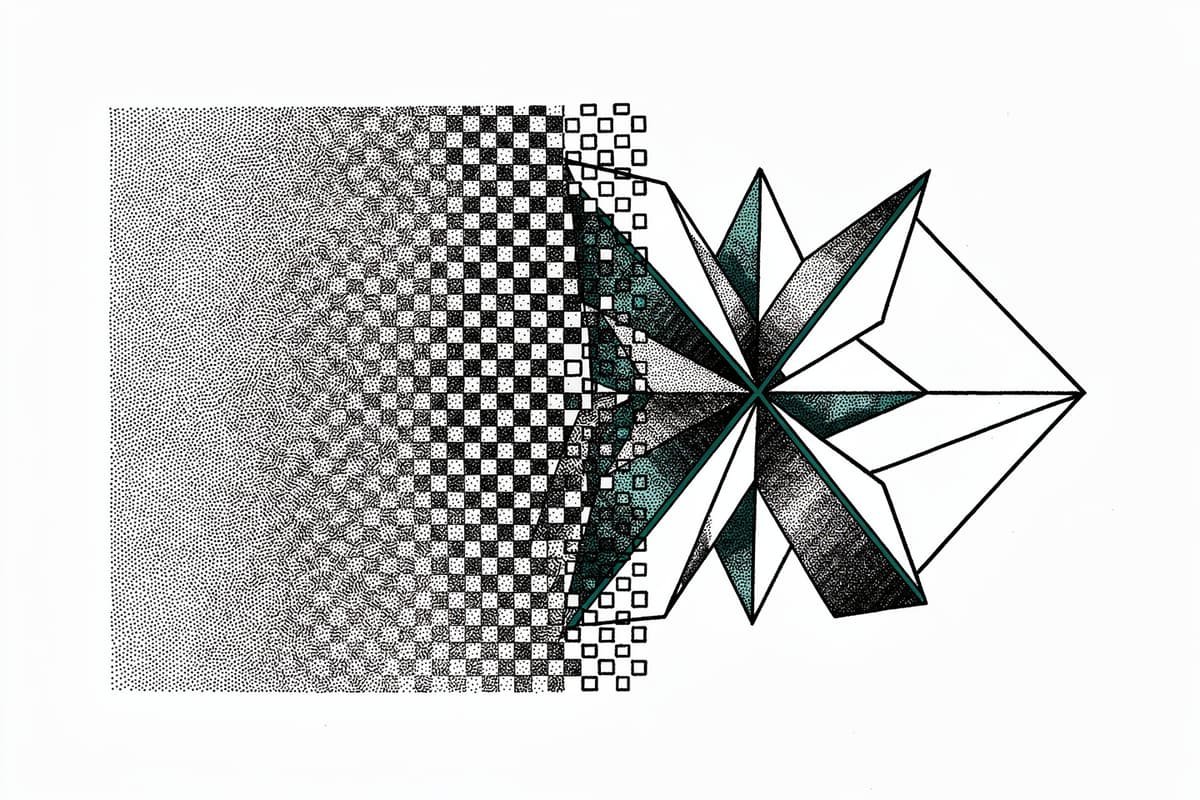
@neplex/vectorizer converts raster images (PNG, JPEG, etc.) to SVG strings in Node.js. It's a thin NAPI-RS binding over VTracer, a Rust image-tracing library from the visioncortex project, with both async and sync APIs exposed to JavaScript.
Why I starred it
The main alternative in the Node.js space is imagetracerjs — a pure-JS port of a Java tracer. It works, but it's slow. The vectorizer benchmark puts the gap at 543 µs vs 2.54 ms per image on an i7-14700K — about 4.67x faster. For batch processing or anything with throughput requirements, that's a meaningful difference.
What actually caught my interest was how the binding is structured. Most NAPI-RS projects expose a simple synchronous function and call it a day. This one exposes four distinct entry points — vectorize, vectorizeSync, vectorizeRaw, vectorizeRawSync — and the async variants are implemented properly using NAPI-RS's AsyncTask trait, not just spawn_blocking. That's a subtler choice worth understanding.
How it works
The Rust side lives in four files: src/lib.rs, src/converter.rs, src/config.rs, and src/svg.rs. The entry point is src/lib.rs, which defines the NAPI-exported functions and a shared VectorizeTask struct.
The async path goes through the Task trait implementation on VectorizeTask:
// src/lib.rs
pub struct VectorizeTask {
  data: Buffer,
  config: Option<Either<JsConfig, Preset>>,
  args: Option<RawDataConfig>,
}

#[napi]
impl Task for VectorizeTask {
  type Output = String;
  type JsValue = String;

  fn compute(&mut self) -> Result<Self::Output> {
    let res = vectorize_inner(self.data.as_ref(), self.config.clone(), self.args.clone());
    res
  }

  fn resolve(&mut self, _env: napi::Env, output: Self::Output) -> Result<Self::JsValue> {
    Ok(output)
  }
}
compute runs on NAPI's thread pool — no libuv work queue, no spawn_blocking, just the native thread pool NAPI manages for async tasks. resolve runs back on the main V8 thread when the result is ready. This means heavy conversions don't block the event loop while still returning results through the normal promise mechanism.
The config resolution in src/lib.rs handles either a full JsConfig object or one of three presets via NAPI-RS's Either type:
fn resolve_config(config: Option<Either<JsConfig, Preset>>) -> Config {
  match config {
    Some(Either::A(config)) => Config { ... },
    Some(Either::B(preset)) => Config::from_preset(preset),
    None => Config::default(),
  }
}
One thing worth looking at in src/config.rs is how Config::into_converter_config transforms the user-facing parameters into internal ones. filter_speckle becomes filter_speckle * filter_speckle (converting a linear pixel threshold to an area threshold), and corner_threshold/splice_threshold go through deg2rad(). So when you pass cornerThreshold: 60, the Rust side computes 60 / 180.0 * π ≈ 1.047 radians. The JS API accepts degrees, the internal path tracing works in radians — the adapter is one line per field.
The actual tracing in src/converter.rs is adapted from the VTracer CLI source (the file header credits the original commit). The color image path uses a Runner from visioncortex::color_clusters which clusters pixels by color proximity. The interesting part is the transparency handling: before running the clustering, should_key_image() samples five horizontal scanlines and checks whether at least 20% of boundary pixels are transparent. If they are, find_unused_color_in_image() replaces transparent pixels with a "key color" — first trying a short list of primaries, then falling back to random RGB values if those happen to appear in the image. This is a practical workaround for visioncortex's color cluster runner not natively handling alpha channels.
Small circles get special treatment in src/converter.rs:
let paths = if matches!(config.mode, PathSimplifyMode::Spline)
  && cluster.rect.width() < SMALL_CIRCLE  // SMALL_CIRCLE = 12
  && cluster.rect.height() < SMALL_CIRCLE
  && cluster.to_shape(&view).is_circle()
{
  let mut paths = CompoundPath::new();
  paths.add_spline(approximate_circle_with_spline(
    cluster.rect.left_top(),
    cluster.rect.width(),
  ));
  paths
} else {
  cluster.to_compound_path(...)
};
Clusters smaller than 12×12 pixels that the shape detector identifies as circles skip the general path tracing and go straight to a spline approximation. This avoids rough polygonal outlines on small circular elements like dots and icons.
Using it
Install via npm, then pass a buffer:
import { vectorize, ColorMode, Hierarchical, PathSimplifyMode } from '@neplex/vectorizer';
import { readFile, writeFile } from 'node:fs/promises';

const src = await readFile('./logo.png');

const svg = await vectorize(src, {
  colorMode: ColorMode.Color,
  colorPrecision: 8,
  filterSpeckle: 4,
  spliceThreshold: 45,
  cornerThreshold: 60,
  hierarchical: Hierarchical.Stacked,
  mode: PathSimplifyMode.Spline,
  layerDifference: 6,
  lengthThreshold: 4,
  maxIterations: 2,
});

await writeFile('./logo.svg', svg);
For batch processing without blocking the event loop, the async vectorize is the right call. For one-off use in a build script where you don't care about blocking, vectorizeSync is simpler.
If you're building something that already has raw pixel data (e.g., from sharp or @napi-rs/image), vectorizeRaw skips the image decoding step entirely — you pass the pixel buffer and dimensions directly. The benchmark uses this path.
CLI is available via npx:
npx @neplex/vectorizer ./input.png ./output.svgThree presets (Bw, Poster, Photo) cover most common cases without hand-tuning all eleven config parameters.
Rough edges
Tests (__test__/index.spec.ts) cover the happy path for each preset and for raw pixel input, but there's nothing testing edge cases: corrupt images, zero-dimension inputs, images where no unused color can be found, or the Cutout hierarchical mode. The should_key_image and find_unused_color_in_image paths in src/converter.rs are untested.
The README benchmarks only compare against imagetracerjs. That's the direct JS alternative, but it's not the comparison most teams would make. If you're running vectorization server-side and already have a Python service, comparing against Potrace or AutoTrace would be more informative.
The last meaningful commit was January 2025 (version 0.0.5). The repo has 153 stars and there's no changelog or roadmap. It does what it says, but don't expect active maintenance.
One behavioral note: the conversion is sensitive to filterSpeckle. At the default value of 4, it discards patches smaller than 16 pixels (4×4). For high-resolution source images with fine detail, you'll want to tune this down — or increase colorPrecision to capture more color clusters before filtering.
Bottom line
If you need raster-to-SVG conversion in a Node.js process and throughput matters, this is the right library to reach for. The Rust core and NAPI-RS async task structure give you real non-blocking performance where the pure-JS alternatives either block or are slow.